Preemption in Kubernetes
Scheduling is probably one of the most interesting features of Kubernetes. How proficient is your
strategy will determine how optimized your cluster is. But if only it was that simple. Let’s take a look
at this example: When you deploy a new version for your microservices system. Developers might run
all the pipelines at once, but there are the database migration jobs that need to be completed first
before all of the others. By default, the scheduler might try to assign the services which
are deployed first. There is no guarantee that the job will finish because all of the
microservices-pods might take all of the resources in the cluster, lead to the migration job stucks
at Pending state. This is a total disaster for a deployment and could cost a major outages.
Luckily, Kubernetes comes with a solution for this which is PriorityClass. It will determine which workloads (Pods) will be scheduled first.
This is the sample PriorityClass configurations:
apiVersion: scheduling.k8s.io/v1
kind: PriorityClass
metadata:
    name: app-tier-one
value: 1000000
preemptionPolicy: Never
The higher the value in configuration, the more priority it has for scheduling.
But the attributes we need to take a look closely is preemptionPolicy. When creating a Pod, it
is assigned to a Priority Queue and the scheduler examines the whole cluster, finding a node with sufficient resources.
There are things to consider such as pod affinity, pod
anti-affinity or topology constraints. In the above example, if there are not enough resources to
provision the pod, it will be hang and wait until the cluster have the capacity to run it. But in the
case of PreemptLowerPriority (keep in mind that this is the default value of preemptionPolicy), the scheduler will evicted lower-priority Pod to make enough room
for the new Pod. This one is critical because it will interrupt other running deployment and might
cause a certain downtime if not configured carefully.
Let take a look at this example:
I created a node by using k3d with only one Node and 1Gi memory.
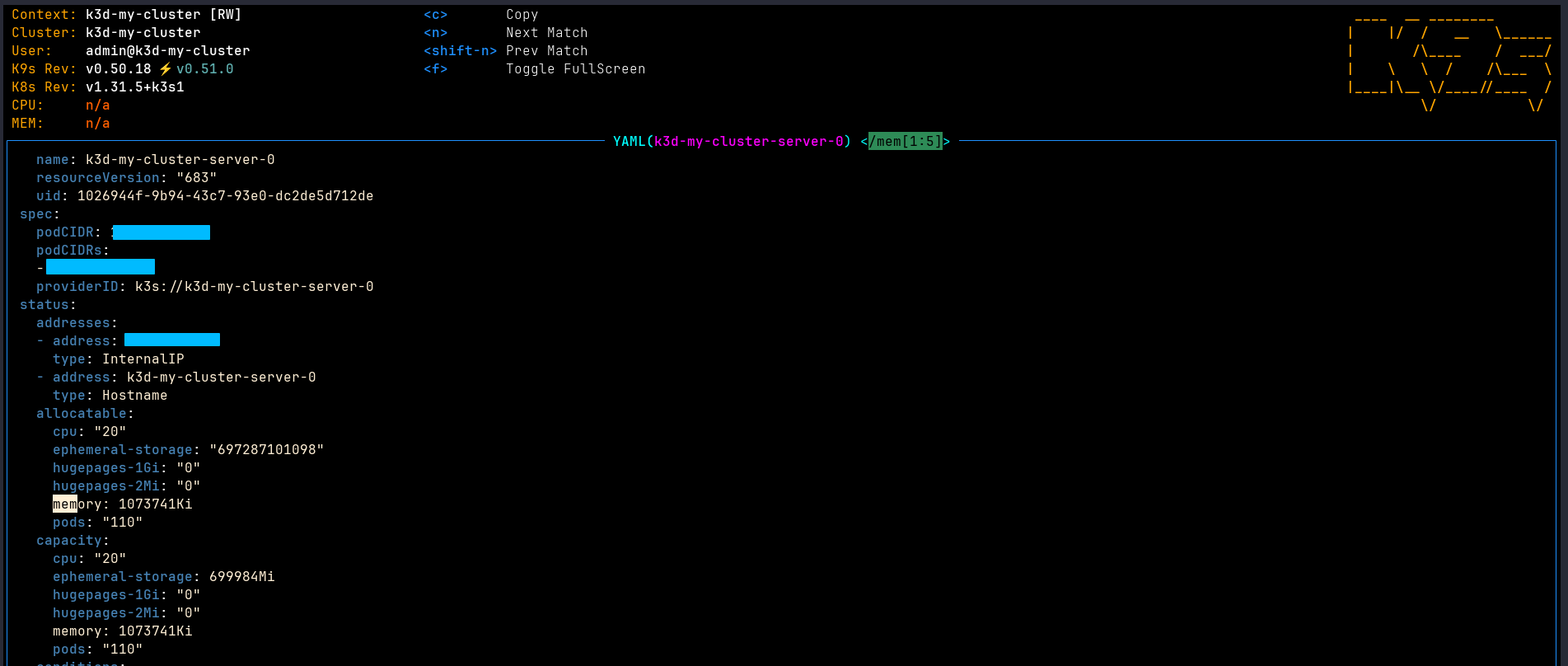
Then I created 2 priority classes, one for cirtical application and the other is much lower.

First, I will apply a minor nginx application with lower priority class
apiVersion: apps/v1
kind: Deployment
metadata:
  name: minor-nginx-deployment
  labels:
    app: minor-nginx
spec:
  replicas: 1
  selector:
    matchLabels:
      app: minor-nginx
  template:
    metadata:
      labels:
        app: minor-nginx
    spec:
      priorityClassName: minor-app
      containers:
        - name: nginx
          image: nginx:1.14.2
          ports:
            - containerPort: 80
          resources:
            requests:
              memory: "550Mi"
            limits:
              memory: "550Mi"

---
apiVersion: policy/v1
kind: PodDisruptionBudget
metadata:
  name: minor-nginx-pdb
spec:
  minAvailable: 1
  selector:
    matchLabels:
      app: minor-nginx

The deployment provisioned successfully. Now I will create another nginx deployment, similar with the minor app but with the critical application priority class.
apiVersion: apps/v1
kind: Deployment
metadata:
  name: critical-nginx-deployment
  labels:
    app: critical-nginx
spec:
  replicas: 1
  selector:
    matchLabels:
      app: critical-nginx
  template:
    metadata:
      labels:
        app: critical-nginx
    spec:
      priorityClassName: critical-app
      containers:
        - name: nginx
          image: nginx:1.14.2
          ports:
            - containerPort: 80
          resources:
            requests:
              memory: "550Mi"
            limits:
              memory: "550Mi"
---
apiVersion: policy/v1
kind: PodDisruptionBudget
metadata:
  name: critical-nginx-pdb
spec:
  minAvailable: 1
  selector:
    matchLabels:
      app: critical-nginx
Now, by the mechanism of the preemption policy, minor application was evicted, reclaim the resources for critical application. And the minor one was never reassigned to node successfully due to insufficient memory. In the scenario, we might want to add a new node to the cluster or using automated node autoscaler such as Karpenter.

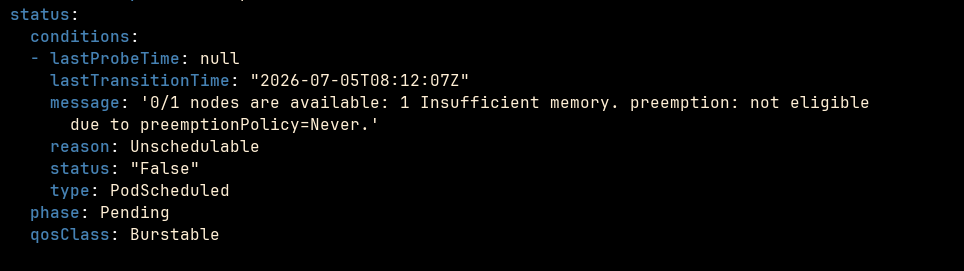
As you can see here, the PriorityClass is a powerful resource of Kubernetes for scheduling
optimization. It lets you take control of the deployment resources allocation strategy in the
cluster, ensuring that your crtical workloads are ready before everything else is deployed to the
production. However, you must be extremely careful with PreemptionPolicy. It is tightly tied to
you current available resources within the cluster. My suggestion is that integrate a Cluster
Autoscaler to dynamically provision resources, allow the scheduler to do its works.